Quick BD Menu2.0
Publisher Description
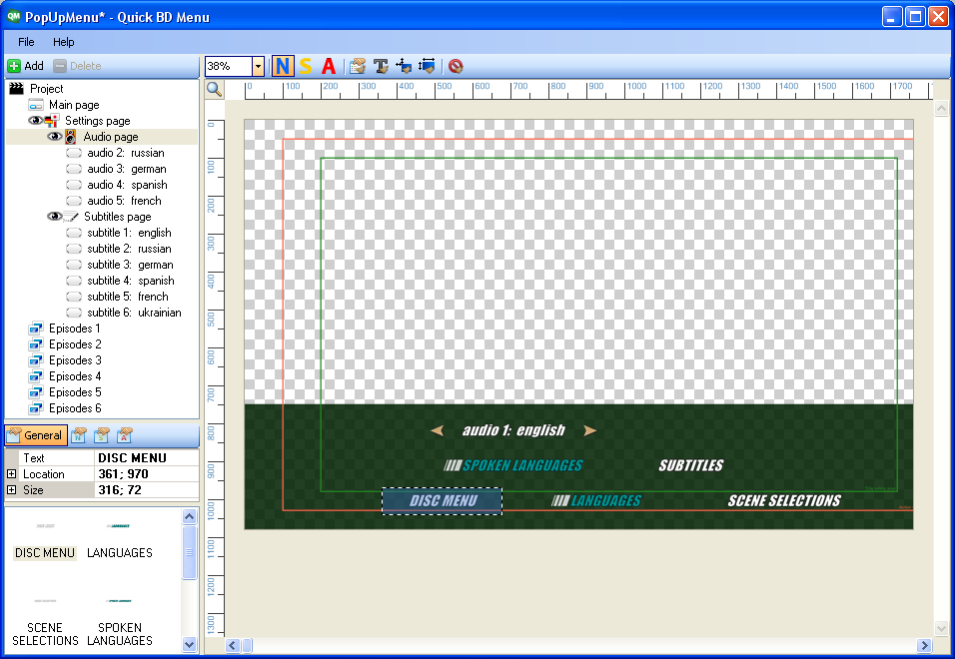
This is a simple and handy solution for BD interactive menu creation. The application automatically allows the creation of navigation and menu commands, for example, button navigation, switching audio or subpicture streams or the highlighting and selection of needed chapters depending on the current movie position. The program allows the creation of chapter, audio and subpicture menus in a quick and easy way.
The main features:
-Creation of a full BD menu with just a few clicks.
-Doesn't need any knowledge of navigation commands or BD specification.
-Output file is in IES format also with an intermediate project file.
-Easy and understandable user interface.
-Replacing background with user images.
-Easy to create BD interactive menu buttons.
-Main or Pop-up menu.
About Quick BD Menu
This Video Tools program is available in English. It was last updated on 29 September, 2026. Quick BD Menu is compatible with the following operating systems: Windows.
The company that develops Quick BD Menu is DVDLogic Software. The latest version released by its developer is 2.0. This version was rated by 1 users of our site and has an average rating of 3.0.
The download we have available for Quick BD Menu has a file size of 1.0 MB. Just click the green Download button above to start the downloading process. The program is listed on our website since 2012-11-15 and was downloaded 314 times. We have already checked if the download link is safe, however for your own protection we recommend that you scan the downloaded software with your antivirus. Your antivirus may detect the Quick BD Menu as malware if the download link is broken.
How to install Quick BD Menu on your Windows device:
- Click on the Download button on our website. This will start the download from the website of the developer.
- Once the Quick BD Menu is downloaded click on it to start the setup process (assuming you are on a desktop computer).
- When the installation is finished you should be able to see and run the program.
Program Details
System requirements
Download information
Pricing
Version History
version 2.0
posted on 2012-11-15
This is a simple and handy solution for BD interactive menu creation. The application automatically allows the creation of . navigation and menu commands, for example, button navigation, switching audio or subpicture streams or the highlighting . and selection of needed chapters depending on the current movie position. The program allows the creation of chapter, . audio and subpicture menus in a quick and easy way.
